
Tiny Math Game1.16 - Google Play
You'll be able to see results in few seconds.
Publisher Description
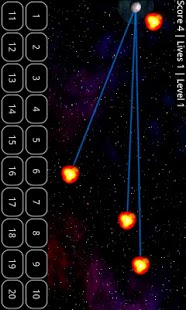
This is the free (ad-supported) version of "Tiny Math Game Pro". The game is similar to Math Workout, but features better graphics, animations, and special effects.
It consists of two sub-games, which will train your mental arithmetic. You will
- speed up your ability to perform calculations quickly
- improve in logic and problems solving
- keep your mind sharp and fresh
- help you to be relaxed, attentive and concentrated
- have fun competing with yourself, your family and your friends
Game 1: Solve 15 equations as fast as possible. This game features:
- 3 difficulty levels
- 10 game modes
- easy user interface
- nice sound effects
- offline highscore list
Game 2: Destroy incoming asteroids by solving simple equations. The number and speed of asteroids will rise with progress. This game features:
- nice sounds and graphics
- rich animations with fluent effects
- an easy user interface
- online and offline highscores
All screen resolutions are supported!
The game has been tested with the following screen resolutions:
- 1024x600
- 854x480
- 800x480
- 480x320
- 480x240
- 400x240
- 320x240
The paid version "Tiny Math Game Pro" doesn't contain any ads.
FEEL FREE TO CONTACT ME IF YOU HAVE IDEAS WHICH WILL MAKE THE GAME EVEN BETTER!
About Tiny Math Game
The company that develops Tiny Math Game is vomasoft. The latest version released by its developer is 1.16.
To install Tiny Math Game on your Android device, just click the green Continue To App button above to start the installation process. The app is listed on our website since 2013-07-02 and was downloaded 0 times. We have already checked if the download link is safe, however for your own protection we recommend that you scan the downloaded app with your antivirus. Your antivirus may detect the Tiny Math Game as malware if the download link to com.unshuus.games.tinymathgamelite is broken.
How to install Tiny Math Game on your Android device:
- Click on the Continue To App button on our website. This will redirect you to Google Play.
- Once the Tiny Math Game is shown in the Google Play listing of your Android device, you can start its download and installation. Tap on the Install button located below the search bar and to the right of the app icon.
- A pop-up window with the permissions required by Tiny Math Game will be shown. Click on Accept to continue the process.
- Tiny Math Game will be downloaded onto your device, displaying a progress. Once the download completes, the installation will start and you'll get a notification after the installation is finished.
Program Details
System requirements
Download information
Pricing
Version History
version 1.16
posted on 2013-07-02
New permission are necessary to cache full screen ads / more apps list.,Ads will be shown in main menu only!,Added "More Apps" button.,You can now set the custom symbols for the multiplication / division operators.,Fixed bottom problems covered by the answer buttons in Game 2.,You can now set font size for Game 2.,Feel free to contact us, if you experience problems. Thanks!
version 1.14
posted on 2011-04-21
Several fixes and updates
Disclaimer
Official Google Play Link
We do not host Tiny Math Game on our servers. We did not scan it for viruses, adware, spyware or other type of malware. This app is hosted by Google and passed their terms and conditions to be listed there. We recommend caution when installing it.
The Google Play link for Tiny Math Game is provided to you by apps112.com without any warranties, representations or guarantees of any kind, so access it at your own risk.
If you have questions regarding this particular app contact the publisher directly. For questions about the functionalities of apps112.com contact us.
